
AI Scheduling Agent
Point Tanda's agent at a location and week, and it weighs your team's regular hours, past patterns, approved leave, availability, demand and labour budget to draft a full schedule you approve before a single shift is locked in.
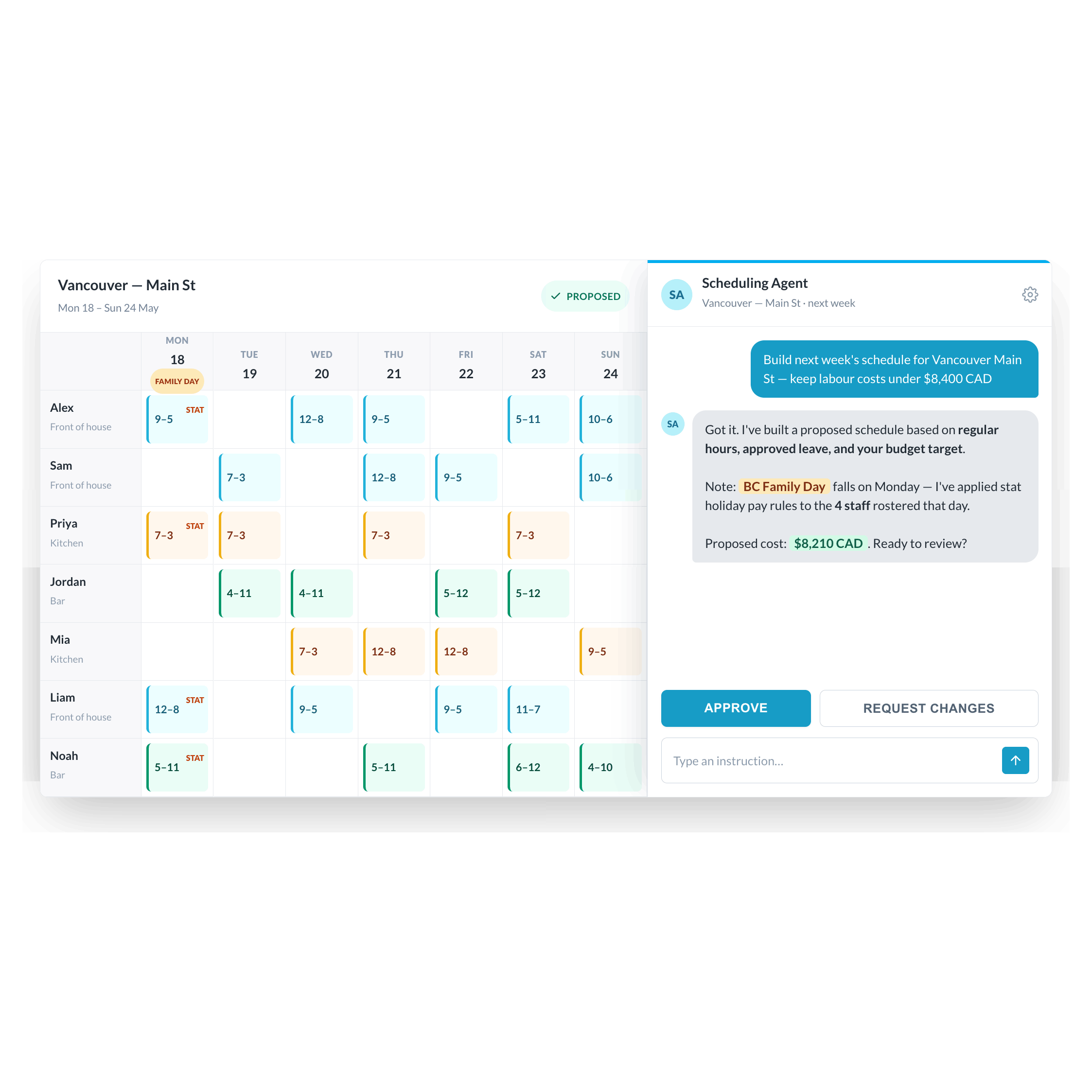
The Scheduling Agent - AI scheduling built for hourly, shift-based teams
Manual scheduling eats hours and creates expensive mistakes: overstaffed quiet shifts, understaffed rushes, unplanned overtime, and missed compliance obligations. Tanda's Scheduling Agent replaces that process with a conversational AI that builds, reviews, and adjusts your schedule, taking into account staff availability, labour budgets, Canadian employment standards, and demand signals from your business data. You stay in control. The agent does the work.
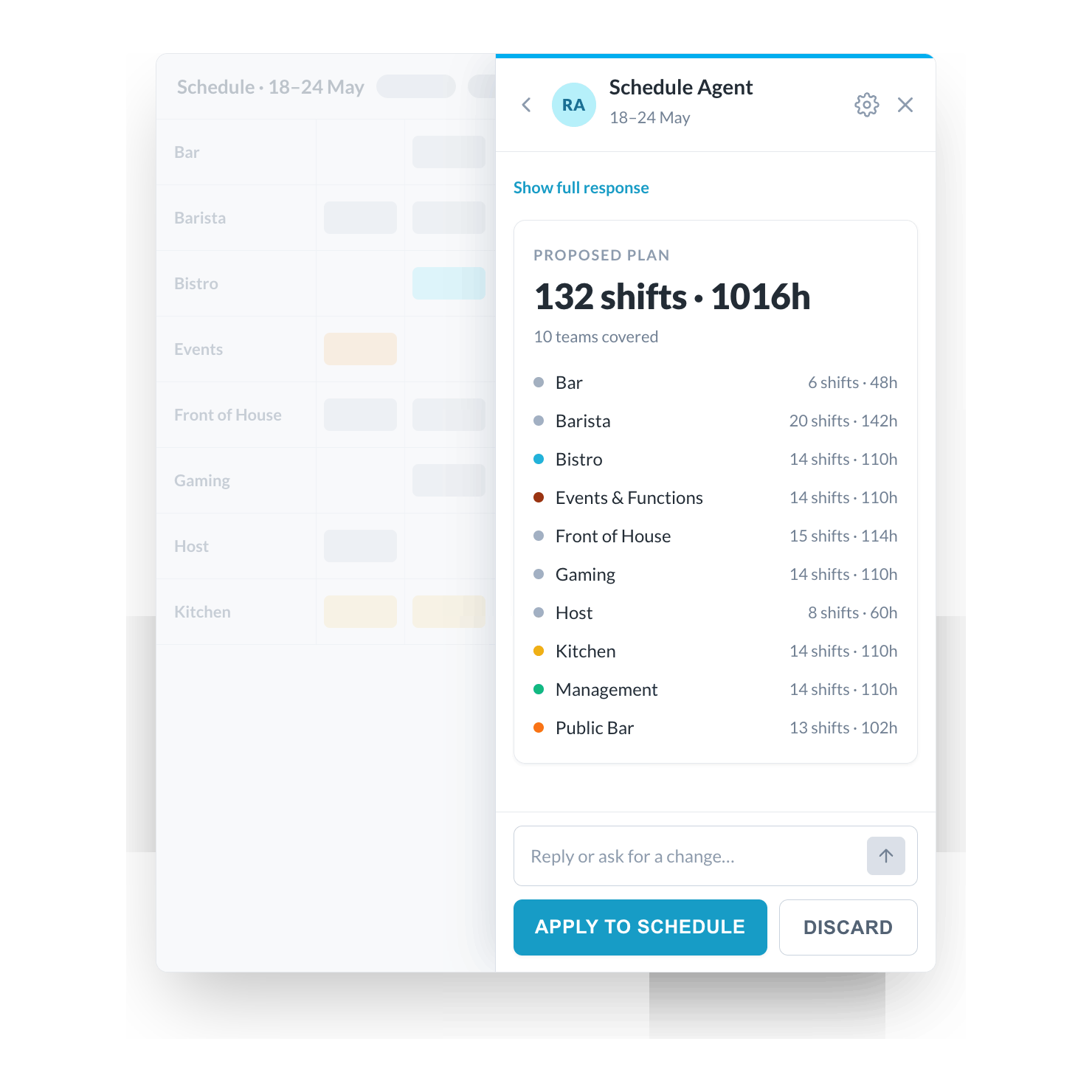
A complete schedule plan, proposed before anything is saved
Once you click Build Schedule, the Scheduling Agent gathers your data - staff availability, past patterns, approved leave, public holidays, and budget targets, and proposes a complete schedule plan in a summary you can read and review. The agent will not create any shifts until you approve. You can approve it, reject it, or ask for changes before a single shift is written.
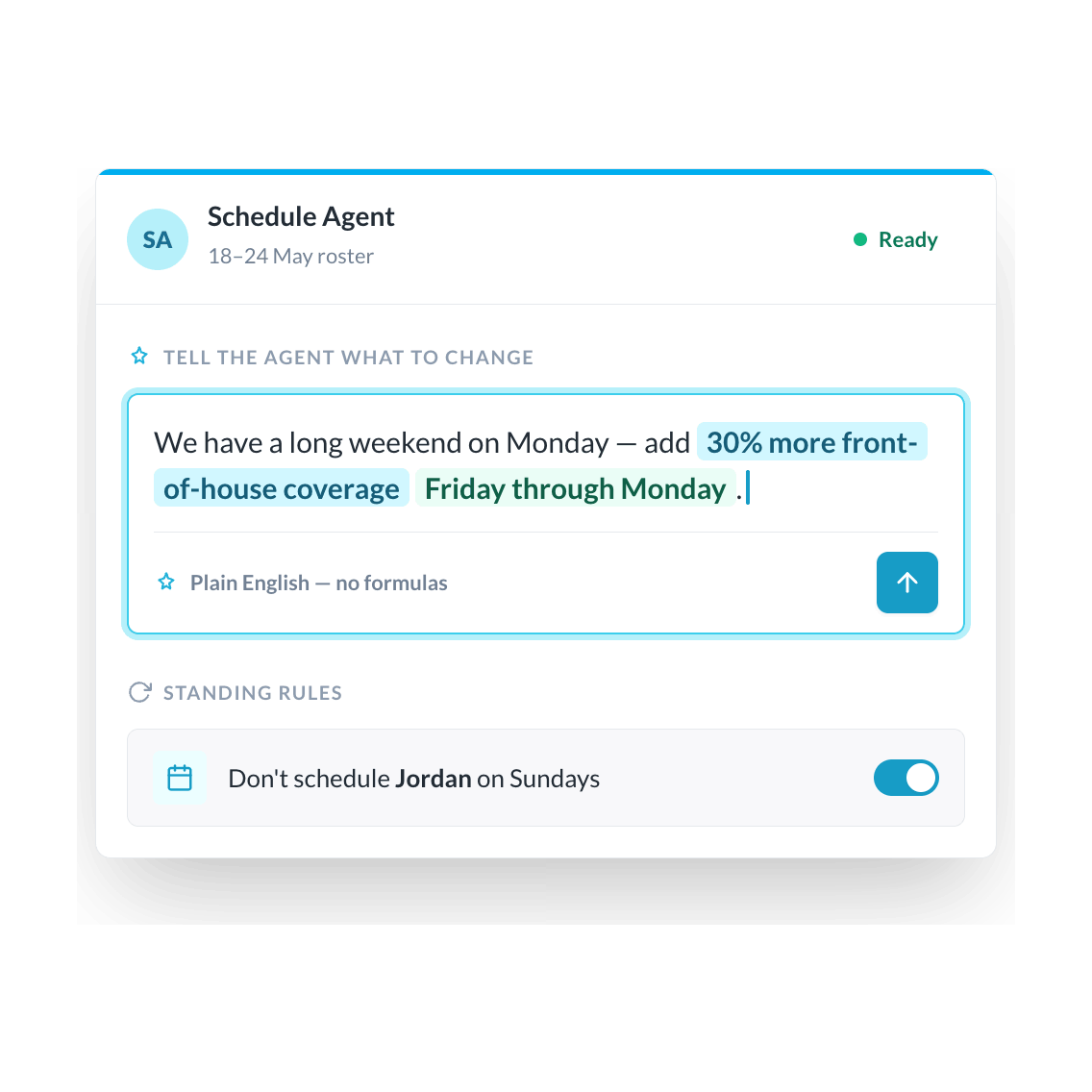
Tell it exactly what you need with custom instructions
Type any instruction before the build - "Keep costs below $X", "Don't schedule Sam on Mondays this week", or "We have a large event on Saturday, add extra front-of-house coverage" - and the agent will follow it. You can also set standing instructions that apply automatically to every session, organization-wide or by location, so your scheduling rules are followed without needing to re-type them each time.
Canadian compliance built in to every schedule
The Scheduling Agent applies your province's employment standards automatically when building schedules - rest breaks, overtime thresholds, minimum rest between shifts, and rules for minors. It runs the same validation checks that apply when scheduling manually, so compliant schedules come out of the build rather than needing a second review. For operators running locations across multiple provinces, each location is checked against the rules that apply there.

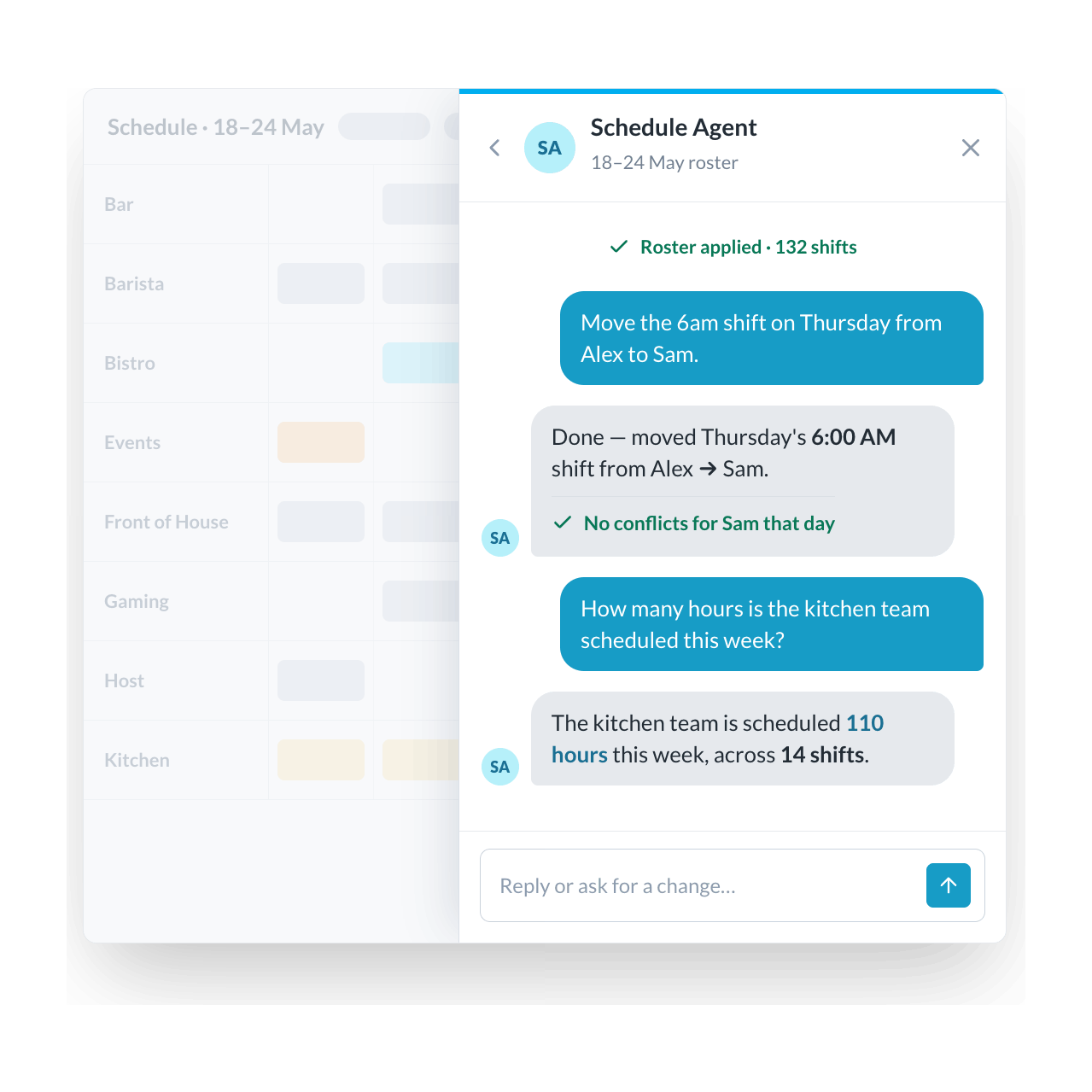
Keep adjusting after the build
Once the Scheduling Agent has built your schedule, you can keep chatting with it to make further changes, like "Move the 8am shift on Tuesday from Jordan to Alex", or "Remove all shifts on Sunday for casual staff". You can also open the agent on a schedule you have already built manually and ask it questions or request changes. When you are ready, review and publish as normal - the agent never publishes without you.
Budget-aware scheduling that adjusts itself
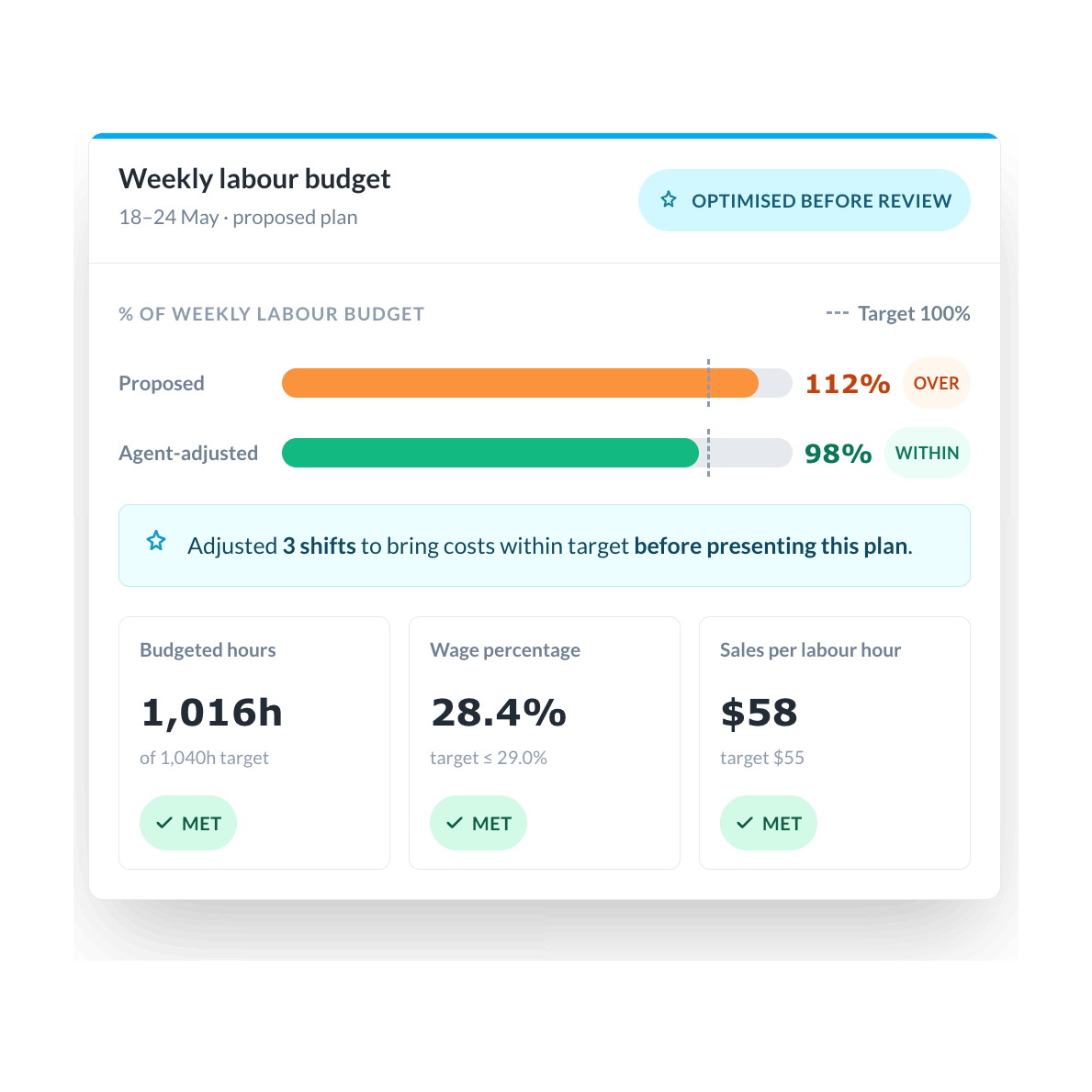
If your account has labour budgets configured - budgeted hours, wage percentages, or Sales Per Labour Hour targets - the Scheduling Agent checks its proposed schedule against those targets after building. If the schedule is over budget, the agent automatically adjusts before presenting the plan for your approval. The plan summary shows you the budget status so you can see whether the proposed schedule is within your targets before you approve anything.
trusted by businesses great and small
.png)
.png)
.png)
.avif)
.png)
.png)
Frequently asked questions

Ready to take workforce management to the next level?
Manage your business processes in a single system, from onboarding through to payroll.
SEE TANDA