
Breaks
Stay on top of every shift and make sure staff take the breaks their province requires. See at a glance who is on break and where you need more coverage, so the floor keeps running smoothly.
Sorted in a simple click
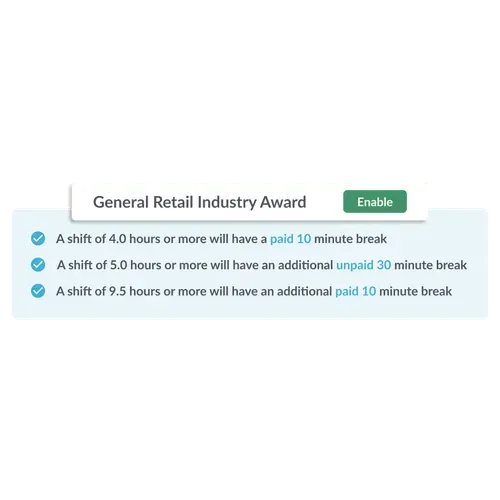
Tanda’s one-click break compliance allows you to design a schedule with compliant breaks in seconds. Simply select your province’s employment standards, enable the break rules, and create a schedule automatically populated with the correct breaks. Tanda will make employees record their breaks in the time clock and store all the details, giving you peace of mind that you’re compliant, every time.
Getting the details right
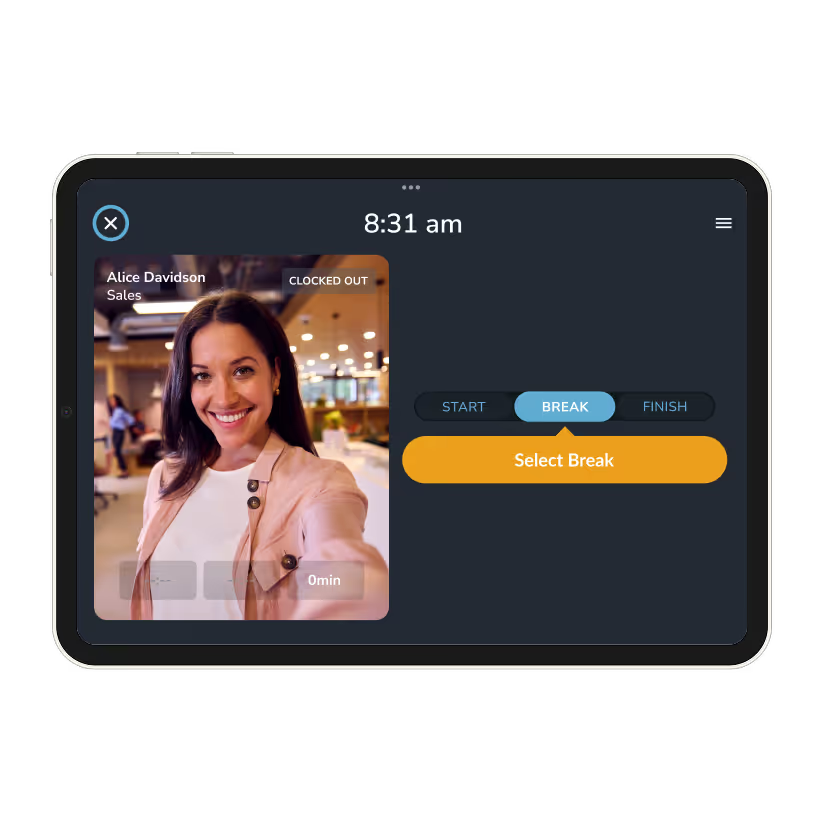
Change the structure of your breaks to suit your business with Tanda’s automatic breaks feature. If you like to give your employees a bit of leeway, have an agreement which requires modified times, or just prefer to set things up yourself, this feature is for you. Automatic breaks is easy to set up and allows you to account for paid and unpaid breaks. It's compliance with flexibility in mind.
.avif)
Focused on compliance
In compliance, accuracy matters. Make sure employees take their full break by blocking them from clocking back in until their time has expired.
.avif)
Advanced configuration
Modify your break configuration to suit your compliance preferences at the touch of a button.
Specify when a break needs to be taken, including before and after certain times.
Get certainty by specifying which break has been taken on the schedule.
Block schedules from being published if they don’t have compliant breaks.

trusted by businesses great and small
.png)
.png)
.png)
.avif)
.png)
.png)
Frequently asked questions
Yes, Tanda’s employee scheduling app can automatically schedule staff for compliant meal and rest breaks. Our online staff schedule contains an automatic breaks feature which allows users to specify what breaks their staff have to take and when. This is based on how long their shifts on the online staff schedule are and whether they are paid or unpaid shifts on the employee scheduling app. Instead of manually adding breaks to each shift on the online staff schedule, for each employee, for each week, Tanda will add them automatically to your staff scheduling app and timesheets.
Building upon automatic breaks, you can also use the online staff schedule to specify when a break must be taken in each shift to remain compliant with your province’s employment standards. For example, in Ontario the Employment Standards Act entitles an employee to a 30-minute eating period after no more than five consecutive hours of work, and this is fully configurable in Tanda’s scheduling software.
Our employee scheduling software also allows you to name the breaks you’ve configured in the online staff schedule (scheduling app), and allow staff to select which break they’re taking to ensure the correct breaks are being recorded in the online staff schedule (scheduling app). Many hospitality or quick service restaurants distinguish between meal breaks and drinks breaks – apply these names to reduce the risk of staff clocking the wrong break.
At the same time, you can also use our online staff schedule (scheduling app) to set minimum break durations to prevent staff from clocking back into their shifts too early on the online scheduling system. Many provincial employment standards specify the minimum length of a break on the staff scheduling app, and staff clocking back in on the staff scheduling app even one minute early can lead to non-compliance. Tanda’s employee scheduling software solution prevents staff from clocking off their break on our online staff schedule until the minimum length has surpassed.
Tanda’s scheduling software uses a built-in pay rules engine to analyze staff working hours and pay employees correctly. Our pay rules engine automates wage calculations, applying the right pay rules (overtime, statutory holiday pay, premiums) for each province, whether you’re on one of our built-in pay rule templates or a custom collective agreement. From here, our scheduling software exports data from the online scheduling software to a payroll provider of your choice, which pays your staff.
All shifts created on scheduling software programs (automated scheduling software) need to comply with provincial employment standards. These staff scheduling app shifts vary between provinces and collective agreements, although Tanda’s scheduling software (automated scheduling software) can handle these complexities. Typically, restrictions on the schedule app include things like a minimum number of hours between two shifts, maximum shift lengths, or how late minors can work, all of which are built into our scheduling software. Some provincial employment standards also contain other rules for salaried staff, such as daily and weekly overtime thresholds and limits on maximum hours in a week. Familiarize yourself with these scheduling app rules and check out Tanda’s written article detailing many of these restrictions.

Ready to take workforce management to the next level?
Manage your business processes in a single system, from onboarding through to payroll.
SEE TANDA